
7 Practical Home Office Design Tips for Homeowners
Trying to make your home office comfortable and productive can be overwhelming when glare, poor lighting, and a lack of privacy interrupt your day. Window treatments often get overlooked, but the right choices have a surprising impact on your work experience. They influence everything from your energy bills to your ability to focus on video calls without distractions.
With the right approach, you can control natural light, enhance privacy, and even improve energy efficiency all from your workspace. Certified energy-efficient window coverings balance comfort and savings, while smart design choices support your health and productivity. Get ready to discover practical, actionable solutions that will transform the way you work at home.
Table of Contents
- 1. Choose The Right Window Treatments For Natural Light
- 2. Create A Comfortable And Ergonomic Workspace
- 3. Maximize Privacy With Custom Blinds And Shades
- 4. Enhance Energy Efficiency Using Cellular Shades
- 5. Personalize Your Office With Color And Texture
- 6. Reduce Glare With Smart Shade Solutions
- 7. Add Convenience With Motorized Window Coverings
Quick Summary
| Takeaway | Explanation |
|---|---|
| 1. Optimize Natural Light Usage | Use light filtering or blackout window treatments to control brightness without sacrificing daylight in your workspace. |
| 2. Prioritize Ergonomic Design | Ensure your chair and desk are set for optimal posture, reducing strain and increasing comfort during long working hours. |
| 3. Invest in Custom Window Coverings | Custom blinds provide better privacy and control compared to standard options, safeguarding your work and enhancing aesthetics. |
| 4. Enhance Energy Efficiency with Cellular Shades | Cellular shades insulate your home office, reducing heating and cooling costs while ensuring comfort throughout the year. |
| 5. Introduce Smart Technology for Convenience | Motorized window coverings offer automated control for light adjustment, increasing efficiency and comfort without manual effort. |
1. Choose the Right Window Treatments for Natural Light
When working from home in a city apartment or suburban house, your relationship with natural light directly affects your productivity and wellbeing. The right window treatments let you harness daylight without the glare, heat, or loss of privacy that often comes with open windows. This balance matters more than you might think, especially when you’re spending 8 plus hours daily in your home office.
Natural lighting enhances not only the ambiance of your workspace but also your mood and energy levels throughout the day. The challenge is controlling light effectively without completely blocking it out. Light filtering window treatments like cellular shades and roller shades with semi transparent fabrics diffuse sunlight while maintaining brightness and views. This prevents harsh glare on your computer screen during morning hours while still flooding your space with natural illumination. When you need more control, blackout options work for afternoon meetings or when you require complete darkness for video presentations. The key is selecting operable coverings like adjustable blinds, motorized shades, or cordless options that give you flexibility to maximize natural light or block heat as needed throughout the day.
Beyond comfort, the right window coverings contribute to energy efficiency. Energy efficient window coverings help regulate temperature by controlling solar gain, which directly reduces your energy bills. Certified products with the Attachments Energy Rating Council (AERC) label meet strict performance standards. This means your home office stays comfortable without relying solely on air conditioning or heating, creating a more sustainable workspace. When you invest in quality treatments, you’re solving multiple problems at once: reducing glare, maintaining privacy, improving energy efficiency, and creating a professional backdrop for video calls.
Pro tip: _Measure your windows carefully and consider installing light filtering shades during summer months and switching to blackout options in winter. This seasonal approach maximizes natural light when you need mood benefits while blocking heat during hot months, reducing your cooling costs by up to 15 percent.
2. Create a Comfortable and Ergonomic Workspace
Your body spends hours in your home office chair each day, and poor ergonomics compound over time. Back pain, neck strain, and wrist discomfort sneak up gradually, turning your workspace from productive to painful. Creating an ergonomic setup means adapting your environment to fit your body, not forcing yourself into uncomfortable positions to match your furniture.
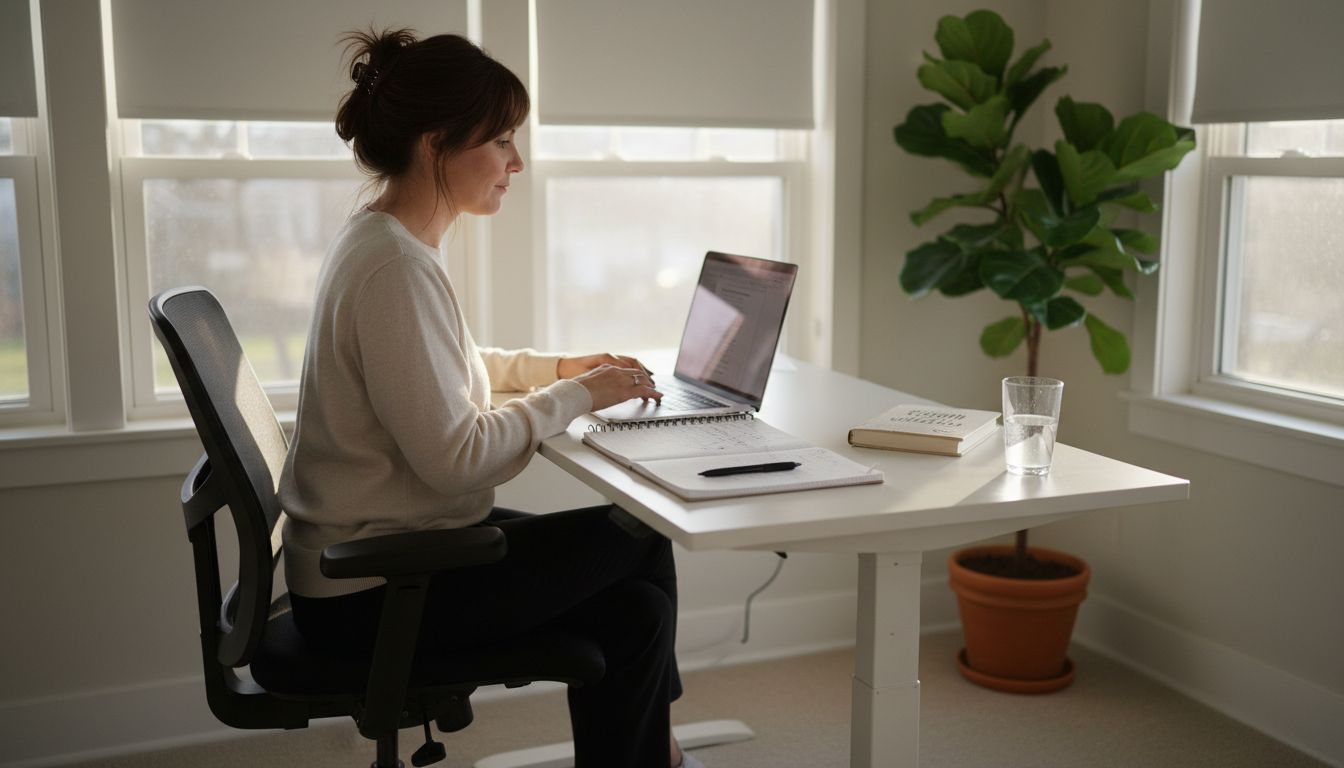
The foundation of comfort starts with your chair and desk. Your chair should support the natural curve of your spine, allowing your feet to rest flat on the floor with your knees at a 90 degree angle. Your desk height matters equally, positioning your monitor at eye level and arm’s length away to prevent you from hunching forward or looking down. Your keyboard and mouse should sit at a height that keeps your wrists in a neutral position, avoiding the bent angles that cause strain during long typing sessions. Proper office ergonomics focus on supporting your body’s natural alignment throughout the day. Consider adding a document holder at monitor height if you reference materials frequently, and use an external keyboard and mouse if you work on a laptop. These adjustments reduce musculoskeletal strain that accumulates and eventually leads to injury.
Beyond furniture placement, movement matters tremendously. Taking breaks every 30 to 60 minutes to stand, stretch, and move prevents stiffness and maintains circulation. Your lighting also plays a role in comfort, as poor lighting causes you to strain your eyes and adjust your posture unconsciously. When you combine proper lighting with strategic window treatments that control glare without darkening your space, you reduce the physical tension that builds throughout your workday. The investment in ergonomic design pays dividends through increased productivity, fewer headaches, and a workspace where you can actually focus on your work rather than your discomfort.
Pro tip: Perform a simple posture check every hour by observing if your shoulders are relaxed, your back is supported, and your screen is truly at eye level; make small adjustments immediately rather than waiting until pain develops.
3. Maximize Privacy with Custom Blinds and Shades
Working from home means your personal space becomes your professional environment, and privacy becomes essential. Neighbors, passersby, and delivery personnel shouldn’t have a clear view into your workspace where you might be handling confidential documents or conducting video meetings. Custom blinds and shades give you complete control over who sees inside your home office, transforming your windows from vulnerable exposure points into privacy guardians.
Custom window coverings work by providing adjustable opacity and coverage that standard curtains simply cannot match. Unlike off the shelf solutions, custom blinds and shades are manufactured to fit your exact window dimensions, eliminating gaps at the edges where prying eyes can peek through. You can choose from various styles including roller shades that completely conceal the interior when closed, cellular shades with honeycomb structures that obscure vision while still filtering light, or wooden blinds that offer elegant privacy with adjustable slats. The beauty of custom options is their flexibility. You’re not locked into one privacy setting all day. You can open slats during morning hours to enjoy natural light and views, then close them during video calls or when you need complete privacy for sensitive work. Privacy shades for windows effectively enhance home security while maintaining the aesthetic appeal of your workspace. Beyond the visual privacy benefits, quality custom coverings also provide acoustic benefits, dampening outside noise that could distract you during calls or focused work.
Safety considerations matter when installing custom window coverings in homes with children. The U.S. Consumer Product Safety Commission established new federal safety standards emphasizing safer operation mechanisms. Cordless window coverings have become the preferred choice for families, providing complete privacy without the strangulation hazards associated with traditional corded designs. Modern cordless options operate smoothly and require minimal effort to adjust, so you’re not sacrificing functionality for safety.
Pro tip: Install motorized or cordless custom shades in your home office so you can adjust privacy with a single touch or remote control, making it easy to switch between open and closed positions throughout your workday without manual adjustments.
4. Enhance Energy Efficiency Using Cellular Shades
Your heating and cooling costs spike because windows leak thermal energy in both directions. Cold seeps in during winter, and heat pours out in summer, forcing your HVAC system to work overtime. Cellular shades offer a simple, elegant solution that improves your home office comfort while noticeably reducing your utility bills. Unlike flat roller shades or basic blinds, cellular shades feature a honeycomb structure that acts as an insulation layer, trapping air between your window and living space.
The science behind cellular shades is straightforward. Their unique honeycomb design creates air pockets that resist heat transfer, providing an R-value ranging from 2 to 5 depending on the depth and configuration you choose. This means they prevent warm air from escaping your office in winter and block solar heat gain during summer, significantly reducing your HVAC load throughout the year. Cellular shades insulation works continuously whether your shades are open or closed, but the effect strengthens when they’re drawn. You can customize cellular shades in cordless, motorized, blackout, or light filtering variations, so you’re not sacrificing style or functionality for energy savings. In metropolitan areas where utility costs run high, this translates to measurable savings on your monthly energy bill. Homeowners report that cellular shades represent one of the most affordable alternatives to window replacement, delivering similar thermal benefits at a fraction of the cost.
Beyond the financial benefits, cellular shades create a more comfortable workspace. Your home office stays warmer on cold mornings without cranking the heat, and cooler in summer without running the air conditioning constantly. This thermal stability also means fewer drafts and cold spots near your windows, eliminating those uncomfortable moments when you’re sitting near a window during winter. The combination of energy savings, comfort improvement, and aesthetic appeal makes cellular shades a smart investment for any home office.
Pro tip: Install cellular shades with motorized controls in your home office so you can automatically close them during the hottest afternoon hours and open them in cooler mornings, maximizing both energy efficiency and natural light without manual adjustment.
5. Personalize Your Office with Color and Texture
A bland, colorless office feels sterile and drains your motivation faster than you’d expect. Your workspace should reflect who you are while supporting your mental state and productivity throughout the day. Color and texture transform a generic room into a personalized sanctuary where you actually want to spend eight hours working.
Color psychology plays a significant role in workspace design. Cool blues and greens promote calm and focus, making them excellent choices for concentration heavy work. Warm tones like soft oranges and yellows create energy and enthusiasm, ideal if your work requires creative thinking. Neutral backgrounds like soft grays and beiges provide a balanced canvas that won’t distract from your tasks while still feeling intentional. The key is choosing a palette that aligns with your work style and personality. Color theory in design shows that well chosen color combinations influence mood, productivity, and your overall experience in the space. Your window treatments play a crucial role here. Selecting blinds or shades in colors that complement your walls creates visual harmony and ties your entire room together. A deep charcoal roller shade might anchor a light gray office, while warm bamboo blinds add texture and sophistication to neutral walls. This isn’t just about aesthetics. The colors surrounding you throughout your workday directly impact your stress levels, focus capacity, and creative output.
Texture adds another dimension to personalization. Pairing smooth fabric roller shades with a textured accent wall creates visual interest without overwhelming the space. Wooden blinds introduce natural warmth and tactile appeal that flat materials cannot match. Layering textures, whether through your window treatments, furniture, or accessories, makes your office feel intentional and inviting rather than cold and utilitarian. When your workspace reflects your personality through thoughtful color and texture choices, you create an environment that motivates you to show up and do your best work every single day.
Pro tip: Select window treatments that echo colors already present in your office furniture or walls to create a cohesive design scheme; this unified approach makes even small spaces feel intentionally designed and personally meaningful.
6. Reduce Glare with Smart Shade Solutions
You’re deep in focus during a morning video call when sunlight bounces off your monitor and floods your eyes with brightness. Glare destroys productivity and causes eye strain that lingers long after your workday ends. Smart shade solutions eliminate this problem by dynamically controlling light throughout the day, adapting to changing sun angles without requiring manual adjustment.
Glare happens when excessive brightness or luminance contrast overwhelms your eyes and makes it difficult to see clearly. In a home office, this typically occurs when direct sunlight hits your computer screen or reflects off glass and glossy surfaces. The challenge is that the sun’s intensity changes constantly as it moves across the sky, meaning a solution that works perfectly at 9 a.m. may fail by noon. Smart shade systems adjust automatically to these changing conditions, maintaining comfortable light levels without requiring you to get up and manually adjust your blinds multiple times throughout the day. These intelligent systems reduce luminance contrasts that cause visual discomfort while still allowing you to benefit from natural light. Motorized roller shades with scheduling features or smart home integration learn your patterns and adjust automatically. Light filtering shades offer another approach, diffusing harsh direct sunlight into soft, distributed illumination that eliminates glare while preserving your view and natural light benefits.
The health benefits extend beyond just comfort. Reduced glare prevents the headaches and eye fatigue that accumulate from constant squinting and strain. Your productivity increases noticeably when you’re not fighting against brightness or adjusting your position to avoid reflections. Smart shades also reduce solar heat gain when closed, complementing your cooling system and lowering energy costs during hot months. Whether you choose motorized blinds that respond to light sensors, scheduled automation that closes shades during peak sun hours, or simply light filtering shades that you adjust manually, the goal remains the same: controlling brightness to maintain visual comfort and protect your eyes during long work sessions.
Pro tip: Install light filtering shades on south and west facing windows where afternoon glare peaks, and reserve blackout options for specific problem areas like where your monitor sits directly in the sun’s path.
7. Add Convenience with Motorized Window Coverings
Imagine controlling every window in your home office from your desk without standing up or walking to hard to reach windows above bookshelves or in vaulted ceilings. Motorized window coverings transform your home office from a static space into an intelligent environment that adjusts to your needs with a single touch. This isn’t luxury for its own sake. It’s practical convenience that improves your workflow and reduces daily friction.
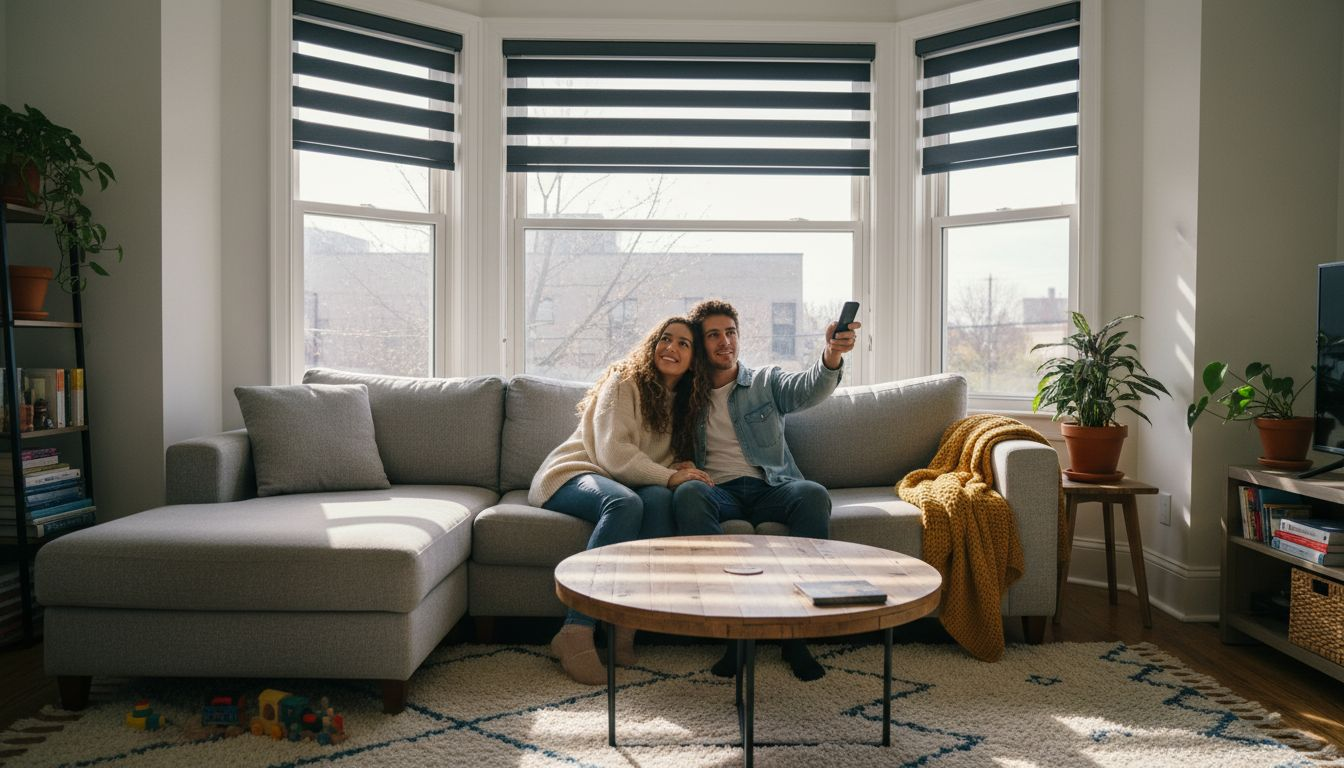
Motorized blinds and shades operate using quiet electric motors controlled via remote, wall switch, or smartphone app integrated with your smart home system. You can program them to open automatically in the morning, adjusting gradually as sunlight increases, or close during the hottest afternoon hours to reduce cooling costs. Motorized window coverings allow for automated control that optimizes natural light use and reduces energy consumption while increasing occupant comfort. For windows that are physically difficult to reach, motorized solutions eliminate the frustration of standing on furniture or using cumbersome extension poles. The convenience factor is particularly valuable during video calls. You can darken your office slightly for better screen visibility or brighten it for professional lighting without interrupting your meeting or fumbling with manual adjustments. Environmental sensors can trigger automatic adjustments based on light levels or temperature, creating a responsive workspace that manages itself.
Beyond convenience, motorized coverings enhance security when you’re away from home. Programming your shades to open and close on a schedule creates the appearance that someone is home, deterring potential intruders. You can control your window coverings remotely even when traveling, adjusting them from your phone to manage privacy or demonstrate that your home is occupied. Modern motorized systems integrate seamlessly with popular smart home platforms, allowing voice control through virtual assistants. The investment pays dividends through improved energy efficiency, increased home security, and the simple pleasure of not having to manually adjust your windows throughout the day.
Pro tip: Install motorized shades on windows that receive direct afternoon sun and program them to close automatically between 2 p.m. and 5 p.m., reducing cooling costs significantly while protecting your eyes from glare during those peak sunshine hours.
Below is a comprehensive table summarizing the key ideas and strategies discussed throughout the article for optimizing a home office environment to enhance productivity and efficiency.
| Topic | Recommendations | Benefits |
|---|---|---|
| Window Treatments for Managing Light | Use light-filtering and blackout shades as needed. | Reduces glare, enhances natural light, and maintains privacy. |
| Ergonomic Workspace Design | Ensure your chair and desk align with ergonomic principles, and adjust monitor height. | Reduces strain, prevents discomfort, and enhances focus. |
| Privacy Enhancements | Implement custom blinds and sound-dampening shades. | Safeguards confidentiality and offers acoustic benefits. |
| Energy Efficiency | Install cellular shades to regulate temperature. | Lowers HVAC reliance and conserves energy. |
| Personalization | Select a cohesive color palette and textures for your office design. | Boosts aesthetic appeal and supports mental well-being. |
| Glare Reduction | Integrate smart shade solutions for dynamic light control. | Prevents eye strain and increases productivity. |
| Convenient Adjustments | Employ motorized window coverings for easy management. | Enhances workflow efficiency and provides seamless control. |
Transform Your Home Office with Custom Window Solutions
Struggling to balance natural light, privacy, and energy efficiency in your home office? The right window treatments can make all the difference. Whether you need light filtering shades to combat glare, cordless blinds for safety, or motorized options for effortless control, Value Blinds offers premium custom solutions designed to enhance comfort and productivity.
Discover how our extensive range of custom blinds and shades can personalize your workspace with style, function, and energy savings. Get started today by exploring our user-friendly design tools and measurement guides that simplify ordering the perfect fit. Don’t wait to create a home office environment where you can focus, feel comfortable, and impress during every video call. Visit Value Blinds now and find the ideal window treatments tailored just for you.
Frequently Asked Questions
What window treatments are best for controlling natural light in a home office?
Selecting light filtering window treatments like cellular shades or roller shades with semi-transparent fabrics can help control glare and heat while allowing natural light to fill your space. Measure your windows carefully and choose options that can be adjusted according to the time of day to maximize productivity and comfort.
How can I improve ergonomics in my home office?
To enhance your workspace ergonomics, ensure your chair supports your spine’s natural curve, and your desk positions your monitor at eye level. Regularly check your posture and take breaks every 30-60 minutes to stretch, which will help prevent discomfort and improve overall productivity.
What are the benefits of using custom blinds for privacy in a home office?
Custom blinds allow precise control over light entry and privacy, preventing outsiders from seeing into your workspace. These blinds should be fitted to your window dimensions to eliminate gaps, thus ensuring complete privacy during work hours and enhancing your overall security.
How do cellular shades enhance energy efficiency in a home office?
Cellular shades feature a honeycomb structure that traps air, providing insulation and reducing heating and cooling costs. Consider installing these shades, as they can lower energy bills by up to 15% by minimizing drafts and maintaining a comfortable temperature year-round.
What impact do colors and textures have on my home office design?
Colors and textures can significantly influence your mood and productivity. Choose colors that align with your work style and personality while incorporating various textures, like smooth fabrics or wooden elements, to make your office space feel inviting and tailored to your needs.
How do motorized window coverings improve convenience in my home office?
Motorized window coverings allow for effortless adjustments to lighting and privacy with a single touch or using a smartphone app. Set them to automate their operation according to the time of day, enhancing your workflow without needing to leave your desk.