

Alexa Compatible Blinds: How to Set Up Motorized Blinds with Alexa
Alexa compatible blinds are motorized blinds or shades whose motor can be linked to Amazon Alexa, so you can open, close, and schedule them by voice or from the Alexa app. To set one up, install the shade, add the motor in its own app and set its travel limits, then link that app to Alexa and let Alexa discover the shade.
On our zebra shades, voice control starts on the order form: choose the Premium Alexa Motor.
Table of contents
-
What Makes a Blind Alexa Compatible?
-
Which Value Blinds Motor Works with Alexa?
-
How to Set Up Alexa Blinds, Step by Step
-
What Voice Commands Work with Alexa Blinds?
-
Alexa Routines for Blinds
-
Why Is Alexa Not Controlling My Blinds?
-
Frequently Asked Questions
What Makes a Blind Alexa Compatible?
A motor connects to Alexa in one of two common ways:
-
Wi-Fi motors connect to your home network and link to Alexa through the motor's app.
-
Hub-based motors (for example, Zigbee) talk to a hub, and the hub connects to your network.
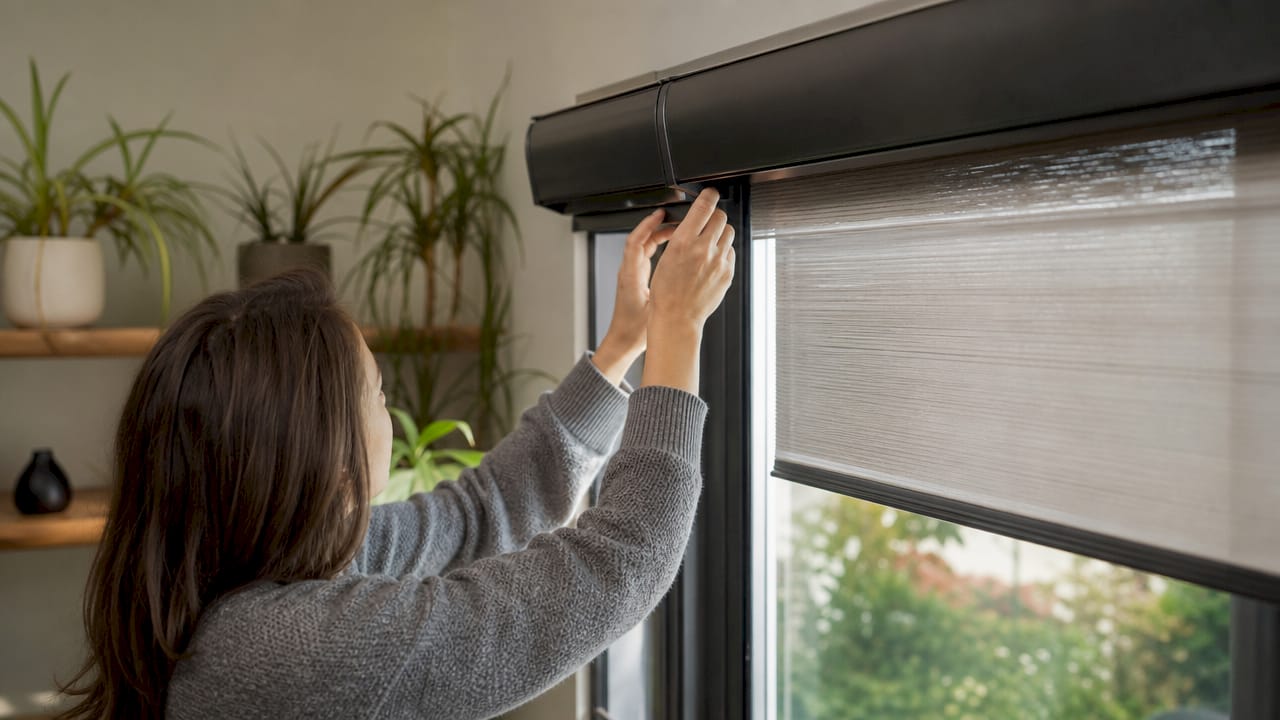
A motor with a remote only, and no Wi-Fi or hub connection, is motorized but not Alexa compatible. The motor's own app is where you add the shade and set its upper and lower stop positions. Alexa sends the commands; the app defines how far the shade travels.
Which Value Blinds Motor Works with Alexa?
These are the lift options on our zebra shade order form at the time of this update:
|
Lift option |
Price on our zebra shades |
Voice control with Alexa |
|---|---|---|
|
Beaded chain, left or right |
Free |
No |
|
Cordless |
$24.36 extra |
No |
|
Standard Premium Motor, left or right |
$86.78 extra |
Not listed as an Alexa motor |
|
Premium Alexa Motor, left or right |
$173.89 extra |
Yes, this is the Alexa option |
|
Premium Zigbee Motor and Hub, left or right |
$189.96 extra |
Ask our support team before you order |
A remote is a separate choice on the same form, from $15.00 for one or two shades. Order one if you also want handheld control.
Our Motorized Outdoor Windproof Sunshades with Side Rails use a premium motor that connects by Wi-Fi and works with Amazon Alexa, Google Assistant, and the Tuya app. See our guide to motorized outdoor shades with side tracks.
Other motorized products list their own motor options on each order form, so check the lift control choices on the product page before you order. Not sure which motor fits your smart home? Our U.S.-based support team can help you choose.
How to Set Up Alexa Blinds, Step by Step
-
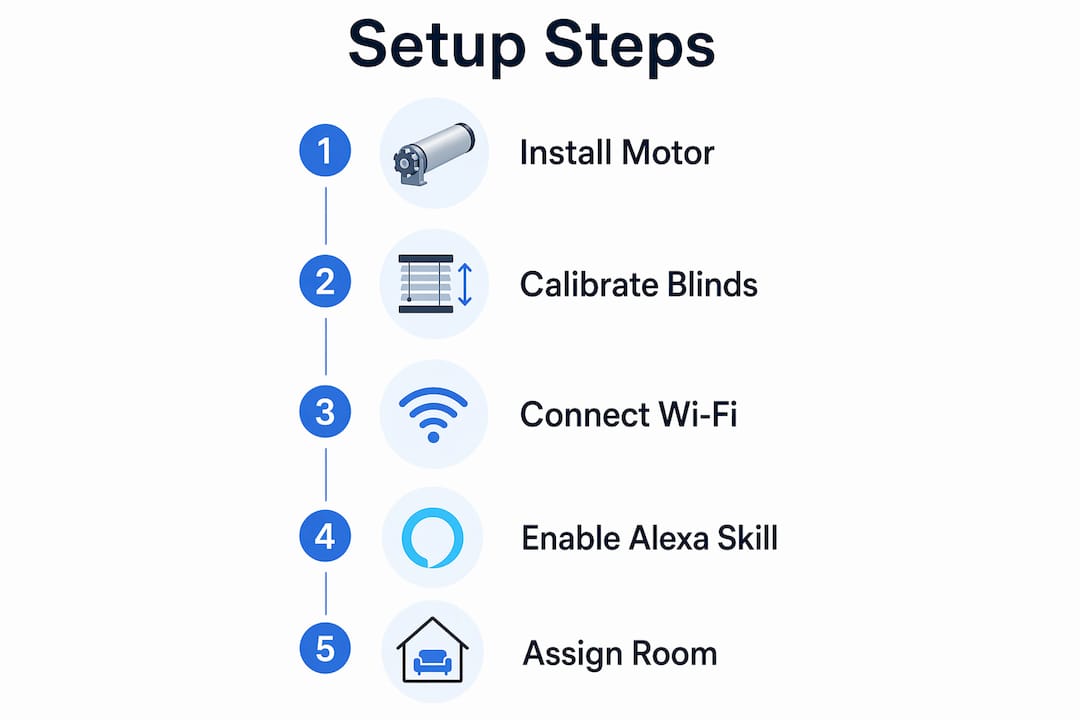
Install the shade and its brackets. Our motorized blinds installation guide covers the mounting.
-
Power the motor as its instructions show.
-
Download the motor's app named in the instructions.
-
Add the shade as a new device in that app.
-
Set the upper and lower stop positions in the app.
-
Test the shade from the app through its full travel.
-
Open the Alexa app.
-
Enable the skill for the motor's app.
-
Sign in with your motor app account to link the two.
-
Ask Alexa to discover devices, or start discovery in the Alexa app.
-
Give the shade a clear name, such as "bedroom shade".
-
Add the shade to a room group in the Alexa app.
Set the stop positions before you link Alexa. If the limits are wrong, Alexa cannot correct them; you fix them in the motor's app.
What Voice Commands Work with Alexa Blinds?
Once the shade is linked and named, these are the basic commands:
-
"Alexa, open the bedroom shade."
-
"Alexa, close the bedroom shade."
-
"Alexa, stop the bedroom shade."
If your motor reports its position to Alexa, you can also ask for a partial position, such as "Alexa, set the bedroom shade to 50 percent." Partial positions depend on the motor and its app, so test the command after setup.
Short, distinct names work best. If two devices have similar names, Alexa may pick the wrong one. After you add shades to a room group, you can control every shade in that room with one command.
Alexa Routines for Blinds
A routine runs one or more actions on a schedule or trigger, set up in the Alexa app. Useful routines for shades:
-
Morning: open the bedroom shades at a set time.
-
Sunset: close the street-facing shades at sunset for privacy.
-
Afternoon sun: lower the shades on sunny windows during the hottest part of the day.
-
Away: open and close shades at set times while you travel, so the house looks lived in.
-
Movie time: close the living room shades and dim smart lights with one phrase.
Why Is Alexa Not Controlling My Blinds?
|
Problem |
Likely cause |
What to try |
|---|---|---|
|
Alexa cannot find the shade |
Skill not linked, or shade not added in the motor's app |
Add the shade in the app, link the skill, then discover devices again |
|
Alexa says the device is not responding |
Motor offline or out of power |
Check power and Wi-Fi, then test the shade from the motor's app |
|
Shade stops in the wrong place |
Stop positions not set or drifted |
Reset the upper and lower limits in the motor's app |
|
Alexa moves the wrong shade |
Similar device names |
Rename the shades with distinct names |
|
Percentage command does nothing |
Motor or app does not report position |
Use open, close, and stop, or check the motor's app |
If the shade works from its app but not from Alexa, the problem is the link; disable and re-enable the skill. If it does not work from the app either, fix the motor first. Still stuck? Contact our U.S.-based support team. Motors carry a 5-year warranty.
Browse all our motorized and smart shades, or see our motorized zebra shades .
Frequently Asked Questions
What makes a blind Alexa compatible?
Its motor can connect to your smart home, by Wi-Fi or through a hub, and link to Alexa through the motor's app. A remote-only motor is not Alexa compatible.
Which Value Blinds motor works with Alexa?
On our zebra shades, choose the Premium Alexa Motor on the order form, $173.89 extra at the time of this update. Our Motorized Outdoor Windproof Sunshades with Side Rails use a Wi-Fi motor that works with Amazon Alexa, Google Assistant, and the Tuya app.
How do I connect my blinds to Alexa?
Add the shade in the motor's app and set its stop positions, enable the app's skill in the Alexa app, sign in to link the accounts, and ask Alexa to discover devices.
Can Alexa set blinds to a specific position?
Yes, if the motor reports its position to Alexa. Try "Alexa, set the bedroom shade to 50 percent" after setup.
Why will Alexa not find my blinds?
The shade usually has not been added in the motor's app, or the skill is not linked. Add the shade, link the skill, and run device discovery again.

Value Blinds®
Trusted window treatments provider
Value Blinds® is a trusted provider of Greenguard, OEKO-TEX, and FSC-certified window treatments based in Portland, Oregon. Specializing in sustainable, motorized, smart-controlled, and outdoor-ready blinds and shades, the company is built on a foundation of simplified shopping, premium eco-friendly materials, and transparent pricing without the inflated cost.