

Alexa Compatible Blinds: Smart Home Setup Guide
TL;DR:
- Alexa compatible blinds are motorized window treatments that connect to Amazon Alexa for voice control and automation. The manufacturer’s app manages calibration, firmware updates, and position data, ensuring accuracy beyond Alexa commands. Proper setup, including calibration before Alexa linking, is essential for reliable, energy-efficient operation.
Alexa compatible blinds are motorized window treatments that connect directly to Amazon Alexa, giving you hands-free control over natural light, privacy, and energy use in your home. Unlike manual or basic cordless shades, these motorized systems respond to voice commands, scheduled routines, and smart home triggers. The result is a window treatment that works as hard as the rest of your smart home setup. Valueblindsdirect offers a range of motorized window shades built for exactly this kind of integration.
What are Alexa compatible blinds and how do they work?
Alexa compatible blinds are motorized window coverings equipped with a wireless motor that connects to your home Wi-Fi or a dedicated hub. The motor receives commands from Amazon Alexa through a manufacturer-built Alexa skill, which acts as the bridge between the two systems. You speak a command, Alexa processes it, and the motor responds within seconds.
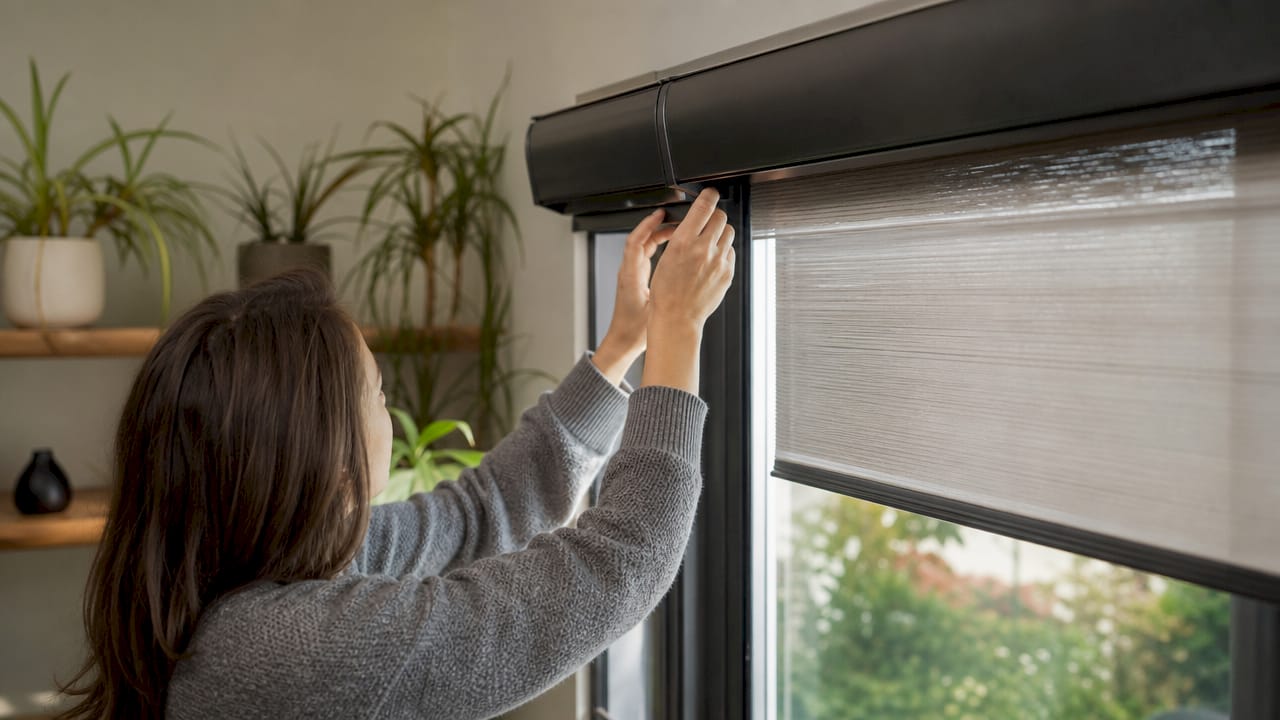
The underlying technology varies by product. Some motors use Wi-Fi directly. Others use Zigbee, Z-Wave, or Bluetooth, which require a compatible hub or bridge. More advanced motors now use Matter and Thread protocols, which connect directly to Alexa devices with compatible Thread border routers, eliminating the need for additional bridges entirely. That is a meaningful shift for homeowners who want fewer devices cluttering their network.
The manufacturer’s app handles the heavy lifting behind the scenes. It stores motor position data, manages firmware updates, and calibrates the blind’s upper and lower travel limits. Alexa is the voice layer on top. It sends commands, but the app is where the blind’s behavior is actually defined.
How to set up Alexa blinds in 5 steps
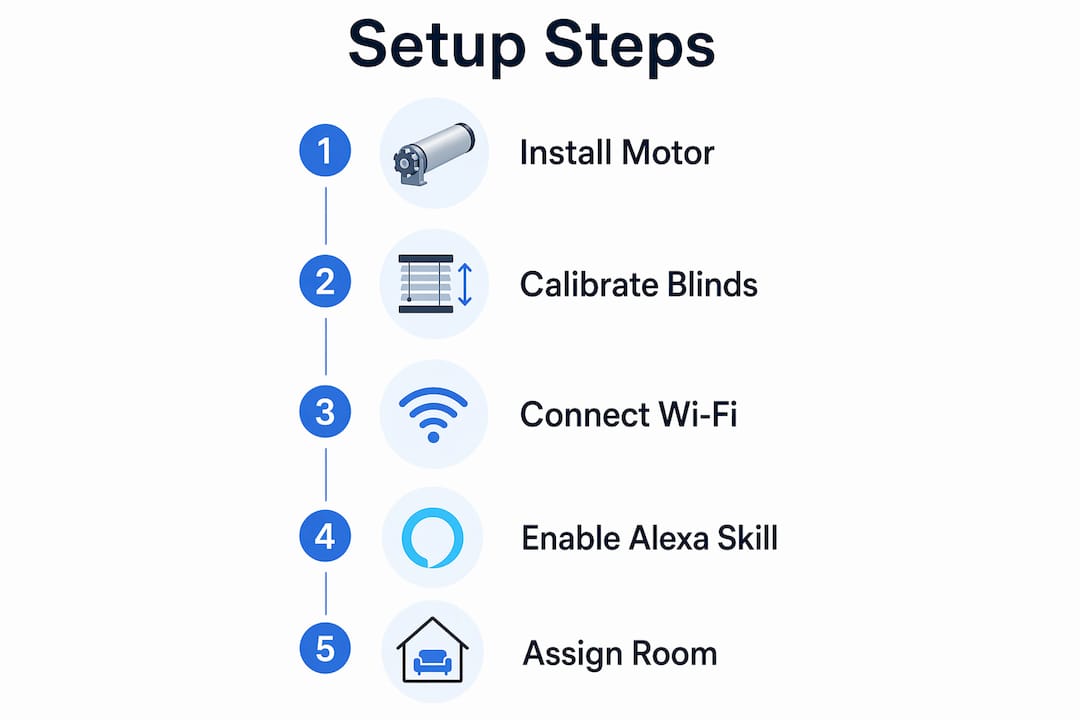
The setup process for voice-controlled window shades follows a consistent five-step sequence regardless of the motor brand. The full process typically takes 15–30 minutes after hardware installation, assuming your Wi-Fi is stable and the manufacturer’s app is already downloaded.
-
Install the motor and configure it in the manufacturer’s app. This is the most critical step. Open the app, add the blind as a new device, and follow the calibration prompts to set the upper and lower travel limits. Do not skip this step.
-
Enable the Alexa skill for your blind’s brand. Open the Alexa app, go to “Skills & Games,” and search for your manufacturer’s skill by name. Tap “Enable to Use.”
-
Link your accounts. The Alexa skill will prompt you to sign in with your manufacturer app credentials. This links the two systems so Alexa can see your devices.
-
Discover your devices. Say “Alexa, discover my devices” or tap “Discover Devices” inside the Alexa app. Alexa will scan for newly linked smart devices and add your blinds to the device list.
-
Assign blinds to rooms. In the Alexa app, place each blind into the correct room group. This step is what makes room-based commands like “Alexa, close the bedroom blinds” work correctly.
Pro Tip: Complete the full calibration inside the manufacturer’s app before you touch the Alexa setup. Skipping calibration causes the blind to stop at wrong positions, and Alexa has no way to fix that on its own.
What voice commands does Alexa understand for blinds?
Alexa supports a well-defined set of standardized voice commands for smart blinds. The basic commands are straightforward:
- “Alexa, open the living room blinds.”
- “Alexa, close the bedroom blinds.”
- “Alexa, stop the blinds.”
- “Alexa, set the blinds to 50 percent.”
- “Alexa, raise the kitchen shades.”
- “Alexa, lower the office blinds.”
The percentage command is the most useful one most homeowners overlook. Setting blinds to a specific percentage gives you precise light control without walking to the window. A 30% position filters afternoon glare while keeping the room bright. A 70% position gives privacy without blocking the view entirely.
“Alexa, set the blinds to 50 percent” is the command that separates basic smart blind users from homeowners who actually get value from the system. Percentage-based positioning turns a motorized shade into a precision light management tool.
Room-based commands become available once you assign blinds to room groups in the Alexa app. You can then say “Alexa, close all the blinds” to trigger every blind in the house at once. Alexa routines take this further by letting you automate multiple blinds simultaneously based on time, sunrise and sunset triggers, or the state of another smart device.
Common misconceptions about smart blinds for Alexa
The biggest mistake homeowners make is treating smart blinds like smart bulbs. A smart bulb has two states: on and off. A motorized blind has a continuous range of positions, a physical travel limit, and a motor that can lose calibration over time. That complexity changes everything about how the system needs to be managed.
Alexa functions as a secondary interface, not the primary one. The manufacturer’s app is the source of truth. It stores the blind’s current position, manages calibration data, and pushes firmware updates to the motor. If the app and Alexa ever disagree about where the blind is, the app wins. Alexa is reading from the app’s data, not from a sensor on the blind itself.
Motor calibration is the step that trips up most first-time installers. Calibration sets the physical upper and lower limits of the blind’s travel. Without it, the motor does not know where “fully open” or “fully closed” actually is. The result is a blind that stops in the wrong place, over-rotates, or behaves inconsistently when you give a percentage command.
Firmware updates are another area where the manufacturer’s app is irreplaceable. Alexa cannot push a firmware update to a blind motor. Only the native app can do that. Keeping the app installed and occasionally checking for updates is part of owning a smart blind, not just a setup step you do once and forget.
Pro Tip: If your blinds start responding inconsistently to Alexa commands, open the manufacturer’s app first. Re-run calibration before you troubleshoot anything in the Alexa app. Nine times out of ten, the problem lives in the motor’s position data, not the Alexa skill.
What practical tips maximize energy savings and daily convenience?
Smart blinds for Alexa deliver their biggest payoff when you use automation rather than manual voice commands. Scheduling and automation routines with Alexa can reduce home energy usage by up to 20%. That number reflects the real impact of blocking solar heat gain in summer and capturing passive solar warmth in winter.
Here are the automation strategies that deliver the most consistent results:
- Sunrise and sunset routines. Set blinds to open at sunrise and close at sunset automatically. This reduces the need for artificial lighting during the day and improves privacy at night without any manual input.
- HVAC coordination. Close south-facing blinds during peak afternoon hours in summer to reduce cooling load. Open them in winter mornings to let in warmth. Pair this with a smart thermostat routine for compounding savings.
- Wake-up scenes. Create an Alexa routine that gradually opens bedroom blinds at your alarm time. Natural light is a more effective wake-up signal than sound alone.
- Away mode. Schedule blinds to open and close at varied times when you are traveling. This creates the appearance of occupancy without leaving lights on all day.
- Movie or focus mode. Build a routine that closes all blinds, dims smart lights, and activates a speaker playlist with a single command like “Alexa, movie time.”
Maintenance keeps the system reliable long-term. Clean the blind fabric or slats regularly to prevent dust buildup that adds friction to the motor. Check the manufacturer’s app every few months for firmware updates. Recharge or replace motor batteries before they drain completely, since a dead motor mid-travel can require a full recalibration.
Key Takeaways
Alexa compatible blinds deliver real energy savings and daily convenience only when the manufacturer’s app setup and calibration are completed before Alexa integration begins.
| Point | Details |
|---|---|
| Setup takes 15–30 minutes | Five consistent steps from motor install to room assignment cover the full process. |
| Manufacturer app is primary | Alexa is a voice layer; the native app stores calibration and firmware data. |
| Percentage commands add precision | “Set blinds to 50 percent” gives fine light control that open/close commands cannot. |
| Automation beats manual commands | Scheduled routines tied to sunrise, HVAC, and occupancy deliver up to 20% energy savings. |
| Calibration must come first | Skipping motor calibration causes position errors that Alexa cannot diagnose or fix. |
Why I think most homeowners set up smart blinds in the wrong order
The standard advice is to get your blinds installed and then connect them to Alexa. What that advice glosses over is that the Alexa connection is the last 10% of the job, not the main event. I have seen homeowners spend an hour troubleshooting Alexa skill errors when the real problem was that they never finished calibration in the manufacturer’s app. Alexa was trying to control a blind that did not know its own limits yet.
The manufacturer’s app deserves more credit than it gets. It is not just a setup tool you use once. It is the ongoing management layer for your motorized blinds. Treat it like the control panel it is, and your Alexa integration will be rock solid. Ignore it after setup, and you will eventually hit a firmware gap or a calibration drift that makes your blinds unreliable.
One thing worth watching in 2026 is the spread of Matter and Thread protocols across motorized blind motors. Matter standardizes how smart devices communicate across platforms, which means a blind motor that supports Matter works with Alexa, Google Home, and Apple Home without separate skills or bridges. Thread adds local control, so commands do not depend on a cloud server being available. That combination makes smart blinds significantly more reliable and easier to set up than anything available three years ago. If you are buying new motors, prioritize Matter compatibility.
For complex multi-room setups with many blinds, professional installation is worth the cost. The calibration process for 15 or 20 blinds across a whole house is time-consuming, and getting it wrong on even a few of them creates ongoing headaches. A professional installer handles calibration systematically and can troubleshoot motor issues that a first-time installer would spend hours diagnosing.
— Sunny
Valueblindsdirect motorized blinds built for Alexa integration
Valueblindsdirect carries a full lineup of motorized window treatments designed to work with Alexa right out of the box. Every motorized option is built for real smart home use, not just basic on/off control.
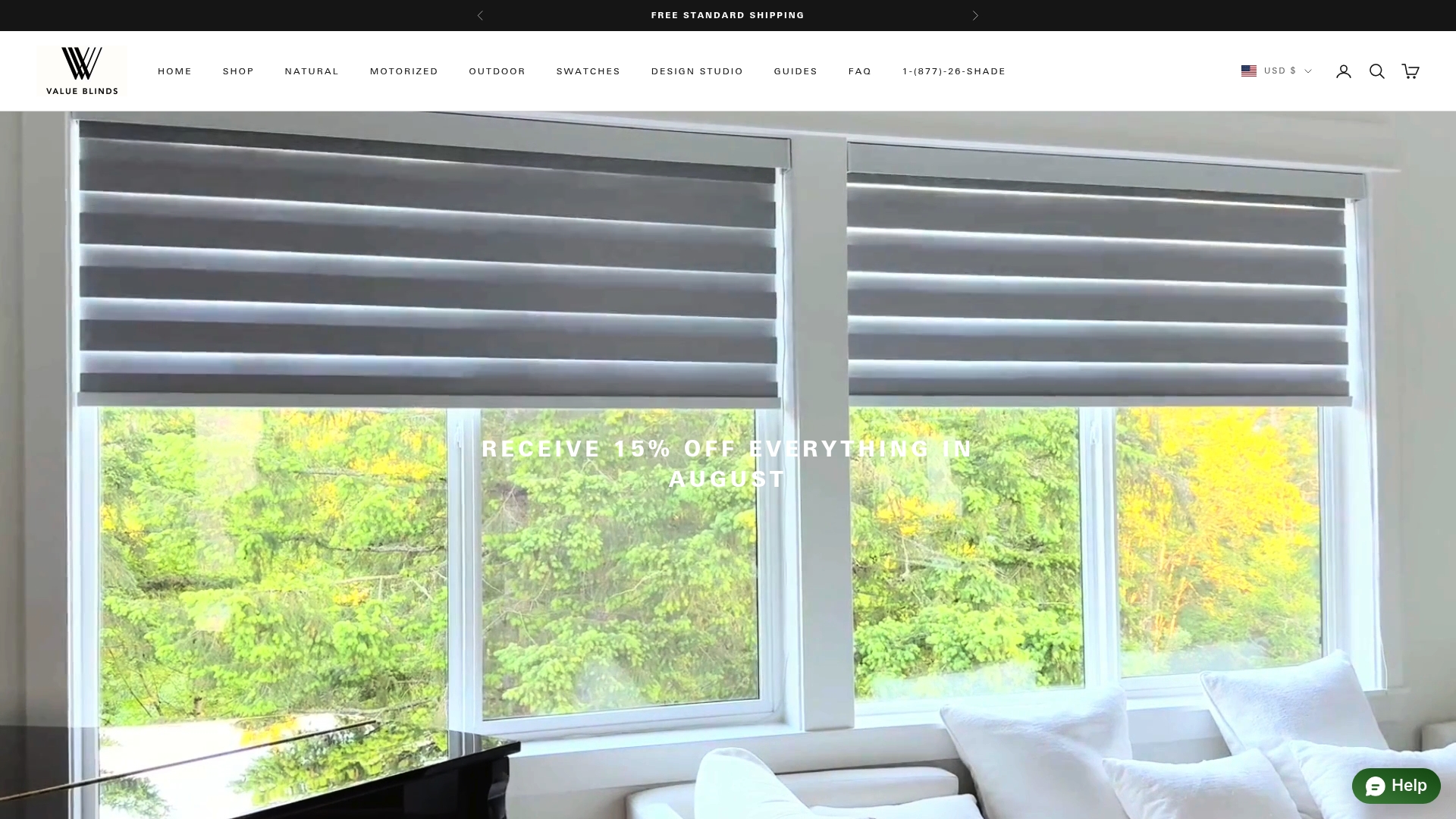
Whether you want the natural texture of woven bamboo shades with motorization or the light-filtering precision of motorized cellular shades, Valueblindsdirect has options that fit both your style and your smart home setup. Use the Window Treatment Design Studio to customize dimensions, fabric, and motorization type before you order. Every product ships with clear installation guidance, and the team is available to help you match the right motor to your existing Alexa ecosystem.
FAQ
What makes a blind “Alexa compatible”?
A blind is Alexa compatible when its motor connects to Amazon Alexa through a manufacturer-built Alexa skill. The skill links the motor’s control system to the Alexa app, enabling voice commands and routine automation.
How long does Alexa blind setup take?
The full setup process typically takes 15–30 minutes after hardware installation. This includes motor calibration in the manufacturer’s app, enabling the Alexa skill, linking accounts, and discovering devices.
Can Alexa set blinds to a specific position?
Yes. Alexa supports percentage-based positioning commands such as “Alexa, set the blinds to 50 percent.” This gives you precise control over light levels beyond simple open and close commands.
Do smart blinds need Wi-Fi to work with Alexa?
Most smart blinds use Wi-Fi, Zigbee, or Bluetooth to connect. Motors with Matter and Thread protocols can connect locally to Alexa without a cloud server, which improves reliability and reduces setup complexity.
What happens if Alexa and the blind app disagree on position?
The manufacturer’s app holds the accurate position data. If Alexa shows a different state, re-run calibration in the native app to reset the motor’s position reference before troubleshooting the Alexa skill.
Recommended
- Alexa Powered Blinds: Your 2026 Smart Home Guide
- Alexa Controlled Blinds: 20% Energy Savings & Smart Home
- Buy Blinds Direct: the Smart Homeowner’s 2026 Guide
- Integrating Shades in Smart Homes: A Practical Guide

Value Blinds®
Trusted window treatments provider
Value Blinds® is a trusted provider of Greenguard, OEKO-TEX, and FSC-certified window treatments based in Portland, Oregon. Specializing in sustainable, motorized, smart-controlled, and outdoor-ready blinds and shades, the company is built on a foundation of simplified shopping, premium eco-friendly materials, and transparent pricing without the inflated cost.