

Alexa Powered Blinds: Your 2026 Smart Home Guide
TL;DR:
- Alexa powered blinds are motorized window treatments controlled by voice through Amazon Alexa, enabling hands-free light, privacy, and temperature adjustments. Proper setup involves finishing the manufacturer app configuration, matching names across systems, and choosing protocols like Thread or RF hubs to ensure reliable operation. Using routines based on schedules or sensors enhances energy efficiency and home comfort while simplifying daily control.
Alexa powered blinds are motorized window treatments you control with your voice through Amazon Alexa, giving you hands-free command over light, privacy, and temperature in any room. The standard industry term is “motorized smart blinds,” and the Alexa integration layer sits on top of that hardware to add voice control, scheduling, and multi-device automation. These systems work with protocols like Matter over Thread, Wi-Fi, and RF, each offering different tradeoffs in speed and reliability. Whether you want to say “Alexa, close the bedroom blinds” or build a morning routine that opens every shade at 7:00 AM, the technology is mature enough in 2026 to make that genuinely simple.
How do Alexa powered blinds work?
Motorized smart blinds connect to Alexa through one of three paths: Wi-Fi, Bluetooth, or RF with a hub. Most premium motors use RF signals, which means they need a hub or bridge to translate Wi-Fi and Bluetooth commands from your Echo device into the RF frequency the motor understands. Most smart blind motors require this hub layer, and skipping it is the most common reason setups fail.
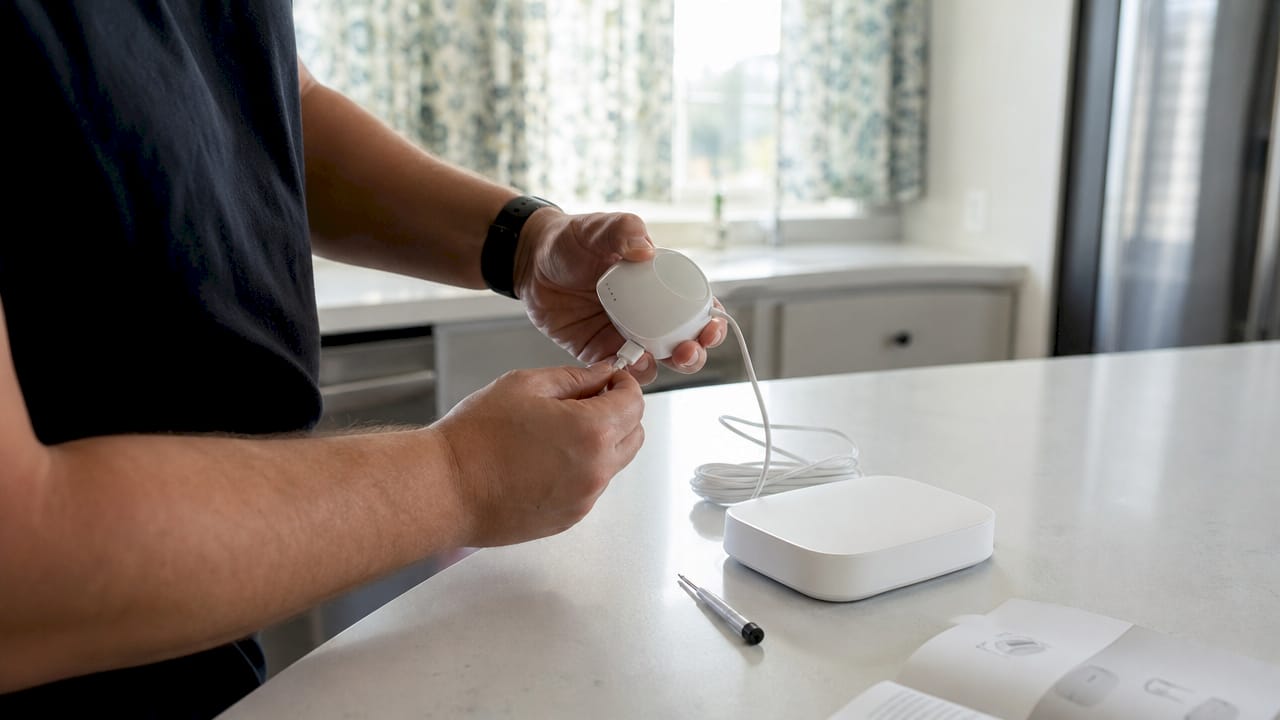
The newer path is Matter over Thread. Matter-over-Thread connections enable local, ultra-reliable integrations that reduce latency and dependence on cloud services compared to older cloud-to-cloud setups. That means your blinds respond in under a second, even when your internet is down. Thread-enabled Echo devices like the Echo (4th Gen) act as Thread border routers, so compatible blinds connect directly without any extra hardware.
Here is how the three main connection types compare in practice:
- RF with hub: The most common setup for premium motorized blinds. The hub plugs into your router and translates commands. Hub placement matters; put it centrally in your home for the best signal reach.
- Wi-Fi direct: Some entry-level motors connect directly to your router. No hub needed, but Wi-Fi congestion in larger homes can cause dropouts.
- Thread: The newest standard. Thread protocols offer low latency and fewer dropouts, especially in larger residences. This is the direction the industry is moving.
Pro Tip: Before buying any motorized blind system, check whether the motor uses RF or Wi-Fi. RF motors need a hub, which adds $50–$150 to your setup cost. Factor that in upfront.
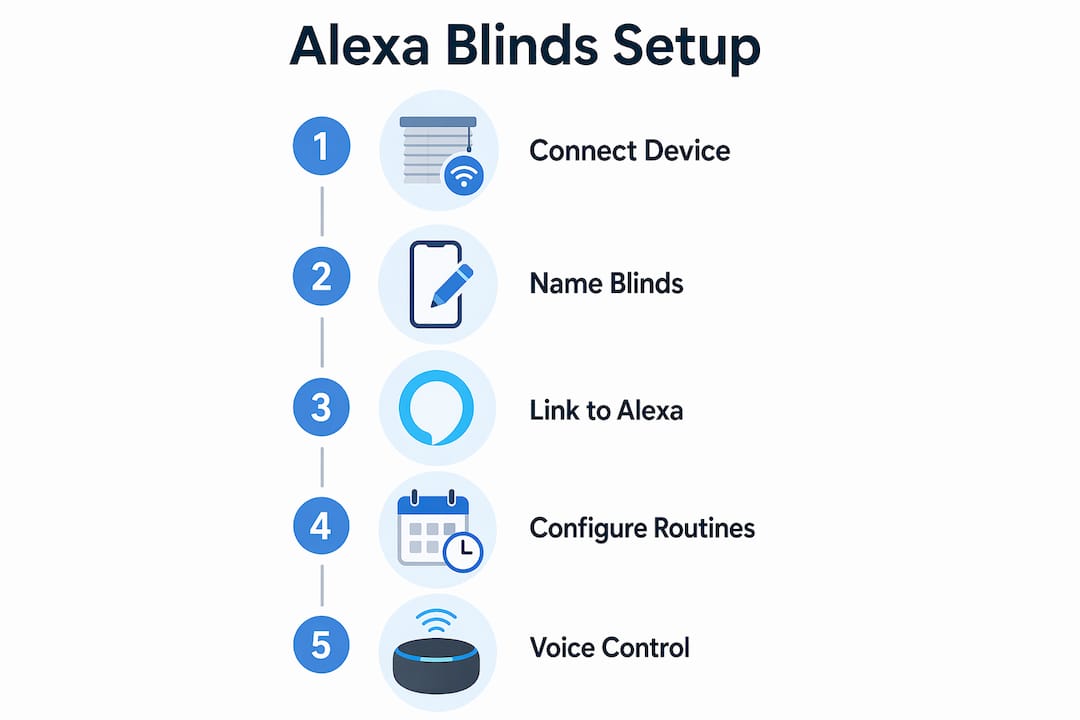
Once connected, Alexa discovers your blinds as devices in the Alexa app. You name them by room during setup, and from that point, voice control is live.
What Alexa voice commands and routines can you use?
The basic commands are straightforward. You can open, close, or set blinds to a specific position. Users can say commands like “Alexa, set the living room blinds to 50%” to get exactly the light level they want. That precision is something manual blinds simply cannot match.
Grouping blinds by room unlocks the real convenience. When you name your blinds “bedroom,” “kitchen,” and “office” in the Alexa app, you can control an entire floor with one command. You can also create groups that span rooms, like “downstairs blinds,” for whole-home control.
Alexa routines are where the system moves from convenient to genuinely useful. A routine is a trigger-and-action chain you build once in the Alexa app. Here are five routines worth setting up:
- Good Morning: At 7:00 AM on weekdays, open all bedroom and living room blinds. Pair with a smart light and coffee maker for a full wake-up sequence.
- Movie Night: Say “Alexa, movie time” to close all living room blinds, dim the lights, and turn on the TV. Scene-based automation is more impactful than voice commands alone.
- Peak Heat Block: Schedule blinds on south-facing windows to close between 12:00 PM and 4:00 PM in summer. This directly cuts air conditioning load.
- Sunset Privacy: Trigger all street-facing blinds to close at sunset using Alexa’s built-in sunset trigger. No fixed time needed; it adjusts automatically through the year.
- Away Mode: When you leave home, close all blinds for privacy and security. Remote access via internet-connected hubs lets you check and adjust from anywhere.
Pro Tip: Build your routines around triggers, not just schedules. Sunset, temperature sensor readings, and “I’m leaving” location triggers make your blinds feel automatic rather than programmed.
The energy-saving routines are the ones most homeowners underuse. Closing south-facing blinds during peak afternoon heat is one of the simplest ways to reduce cooling costs without touching your thermostat.
What are the setup pitfalls to avoid with Alexa controlled blinds?
Setup failures almost always trace back to one mistake: trying to connect to Alexa before finishing the manufacturer app setup. Skipping initial app pairing leads to Alexa discovery failures, and room-based naming simplifies control. Complete the manufacturer’s app first, name every blind by room, confirm they respond in the app, and only then enable the Alexa skill.
Beyond that, these are the pitfalls that catch most homeowners:
- Poor hub placement: A hub tucked behind furniture or in a closet loses signal strength. Place it in an open, central location within range of your blinds.
- Weak Wi-Fi at the window: Motorized blinds sit at the perimeter of your home, often the weakest Wi-Fi zone. A mesh network or a Wi-Fi extender near large window banks solves this.
- Inconsistent naming: If you name a blind “left bedroom shade” in the manufacturer app but “bedroom blind” in Alexa, commands will not match. Use the same name everywhere.
- Skipping firmware updates: Motor firmware updates fix connectivity bugs. Check for updates in the manufacturer app after initial setup.
- Ignoring hub compatibility: Not every hub works with every motor brand. Confirm compatibility before purchasing. Some systems use proprietary hubs that only work within their ecosystem.
For large homes, experts recommend Thread or RF hubs over Wi-Fi for low latency and fewer dropouts. This is especially true for homes over 2,500 square feet where Wi-Fi signal degrades across multiple floors. A Thread-based setup with a compatible Echo device eliminates the hub entirely for supported motors, which is the cleanest solution available in 2026.
Professional installation is worth considering for whole-home projects. A pro handles wiring for hardwired motors, hub placement, and app configuration in a single visit. DIY works well for battery-powered or rechargeable motors, which need no wiring and install in under 30 minutes per window.
How do smart blinds improve energy efficiency and home comfort?
Automated window shades directly reduce heating and cooling costs. Closing blinds during hot hours reduces air conditioning use, while opening blinds in winter captures solar heat, enhancing energy efficiency. This passive solar management requires no extra equipment beyond the blinds you already own. You just need the right routine.
The Valueblindsdirect guide on energy savings details how Alexa routines combined with smart blinds lead to measurable reductions in utility costs. Cellular shades, in particular, add an insulating air pocket between the glass and your room, which compounds the benefit of automated positioning.
“Smart blinds deliver maximum value when part of an integrated smart home ecosystem managing climate, lighting, and privacy. Voice control alone is a convenience feature. Routine-based automation is an energy management tool.”
The comfort benefits extend beyond temperature. Voice control improves accessibility for homeowners with mobility limitations. Automated privacy routines remove the daily task of manually adjusting every shade at dusk. And coordinated lighting plus blind routines create consistent ambiance without any manual effort.
| Benefit | How automated blinds deliver it |
|---|---|
| Cooling cost reduction | Close south and west-facing blinds during peak afternoon heat hours |
| Heating cost reduction | Open blinds on sunny winter days to capture passive solar warmth |
| Privacy automation | Sunset trigger closes street-facing blinds without manual action |
| Accessibility | Voice commands replace physical cord or wand operation |
| Security | Scheduled movement while away simulates occupancy |
The integration of shades in smart homes works best when blinds connect to a thermostat and lighting system. When your Ecobee or Nest thermostat detects the room is warming, a routine can close the blinds before the AC kicks in. That sequence saves energy without you noticing it happened.
Key Takeaways
Alexa powered blinds deliver the most value through scheduled routines and smart home integration, not voice commands alone.
| Point | Details |
|---|---|
| Complete app setup first | Finish manufacturer app pairing before enabling the Alexa skill to avoid discovery failures. |
| Match your protocol to home size | Use Thread or RF hubs in larger homes; Wi-Fi direct works for smaller spaces. |
| Build energy routines | Schedule blinds to block peak heat and capture winter sun to cut utility costs. |
| Name blinds by room | Consistent room-based naming in both the manufacturer app and Alexa enables natural commands. |
| Integrate with climate devices | Connecting blinds to a thermostat routine multiplies energy savings beyond blinds alone. |
What I have learned after years of watching smart blind setups go wrong
The single biggest misconception I see is that voice control is the point. Homeowners buy smart blinds, set up “Alexa, open the blinds,” and call it done. They have spent $400 on a remote control. The actual value is in the routines, and most people never build them.
The second thing I have noticed is that the Matter over Thread shift is real and it matters. Older cloud-to-cloud setups had a noticeable lag and failed when the internet went down. Thread-based connections feel instant and local. If you are buying motorized blinds in 2026, I would not buy anything that does not support Thread or at least have a clear roadmap for it. The smart blinds guide at Valueblindsdirect covers this technology shift well for homeowners who want to go deeper.
My honest advice for large homes: do not rely on Wi-Fi for your blind motors. I have seen too many setups where the blinds on the second floor simply stop responding because the router signal does not reach the window line reliably. A Thread network or a dedicated RF hub solves this permanently. The upfront cost is worth it.
Finally, think about your blinds as part of your climate system, not just your decor. The homeowners who get the most out of this technology are the ones who connect their blinds to their thermostat and lighting in a single routine. That is where the energy savings become real and consistent.
— Sunny
Motorized and Alexa-ready window treatments from Valueblindsdirect
Valueblindsdirect carries a full range of motorized window treatments built for smart home integration, from motorized cellular shades that add insulation to natural woven shades with voice control compatibility. Every motorized option is available in custom sizes, so your blinds fit precisely and operate reliably from day one.
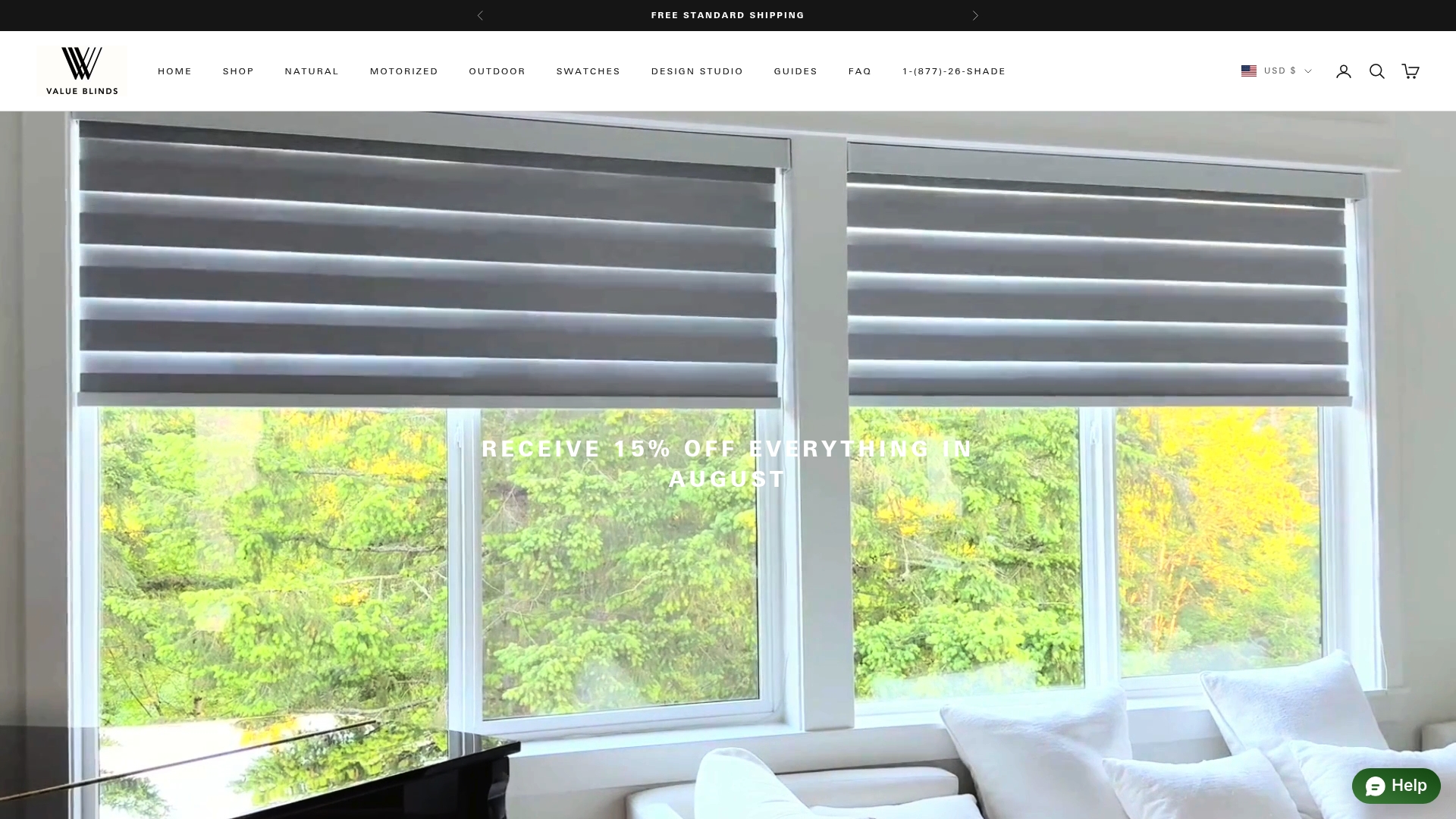
The Window Treatment Design Studio at Valueblindsdirect walks you through fabric, opacity, and motor selection with expert guidance. Whether you want blackout cellular shades for a bedroom routine or zebra shades for a living room scene, the design studio matches your automation goals to the right product. Free swatches and measurement guides are included, so you order with confidence.
FAQ
What are Alexa powered blinds?
Alexa powered blinds are motorized window treatments that connect to Amazon Alexa for voice control, scheduling, and smart home automation. The industry term is motorized smart blinds, with Alexa acting as the control interface.
Do smart blinds need a hub to work with Alexa?
Most RF-based motorized blinds require a hub or bridge to translate Alexa commands into motor signals. Thread-compatible blinds can connect directly to a Thread-enabled Echo device without any hub.
What Alexa commands work with smart blinds?
You can open, close, or set blinds to a specific percentage, such as “Alexa, set the living room blinds to 50%.” You can also group blinds by room and include them in multi-device routines.
How do automated blinds save energy?
Closing blinds during peak afternoon heat reduces air conditioning load, while opening them on sunny winter days captures passive solar warmth. Alexa routines automate this process on a schedule or temperature trigger.
Can I control smart blinds when I am away from home?
Yes. Internet-connected hubs and the Alexa app allow remote access to your blinds from any location. This also supports security routines that simulate occupancy while you travel.